
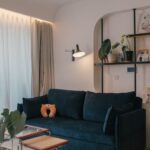
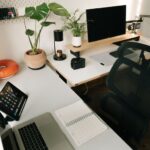







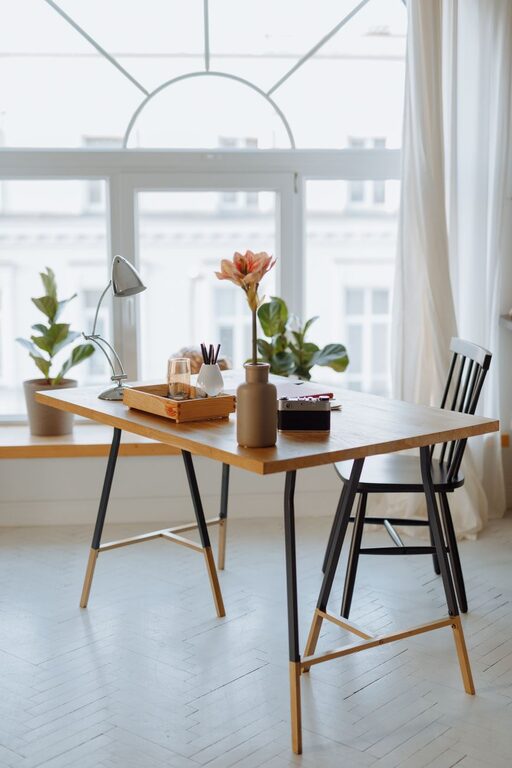
Creating a home office that is both cozy and functional can drastically improve your work-from-home experience. Whether you’re remote full-time or need a dedicated space for occasional work, designing an office that supports comfort and productivity is essential. Here are some helpful tips to guide you through setting up an inviting and efficient home office.
Choose the Right Location
Finding the perfect spot in your home for a workspace is the first step. Ideally, select a quiet area away from distractions like the living room TV or kitchen. Natural light is also a great asset—it helps reduce eye strain and boosts mood. If possible, place your desk near a window for fresh air and daylight, which promotes alertness during work hours.
Invest in Comfortable Furniture
Comfort is key when picking furniture for your home office. A supportive chair that encourages good posture can prevent back and neck pain. Look for chairs with adjustable height and lumbar support.
Your desk should be the right height to keep your arms and wrists in a relaxed position while typing. Consider an adjustable desk if you want the option to alternate between sitting and standing throughout the day.
Optimize Lighting
Proper lighting is crucial to avoid eye fatigue and maintain energy. Combine ambient light with task lighting:
– Ambient lighting: ceiling lights or wall sconces that provide general illumination.
– Task lighting: desk lamps that direct light exactly where you need it.
Avoid glare on your computer screen by positioning lights properly or using adjustable blinds on windows.
Organize with Purpose
A clutter-free workspace encourages focus and efficiency. Use storage solutions like shelves, drawers, and filing cabinets to keep documents and supplies tidy.
Here are some organization ideas:
– Use cable organizers or clips to manage cords.
– Keep frequently used items within arm’s reach.
– Label storage containers for easy identification.
– Declutter regularly to maintain a clean environment.
Personalize Your Space
Adding personal touches can make your office feel inviting and motivate you to work. Choose decor that inspires you but doesn’t distract:
– Hang artwork or photos that bring positive feelings.
– Add green plants to improve air quality and create a calming atmosphere.
– Use colors that you find soothing or energizing depending on your taste.
Implement Technology Thoughtfully
Ensure your home office is well equipped with the technology you need without overcrowding the space:
– Invest in a reliable internet connection to avoid interruptions.
– Use wireless accessories if possible to cut down on tangled wires.
– Consider noise-canceling headphones if your environment is noisy.
Maintain a Healthy Routine
Create habits that support your comfort and productivity:
– Take regular breaks to stretch and rest your eyes.
– Adjust your sitting or standing position regularly.
– Keep water nearby to stay hydrated during work sessions.
Keep It Flexible
Your needs might change over time, so consider making your home office adaptable:
– Use furniture that is easy to rearrange.
– Have storage options that can grow with your materials.
– Design the space so you can switch between tasks or even work collaboratively if needed.
Final Thoughts
Designing a cozy and functional home office is about balancing comfort with efficiency. By carefully choosing your location, furniture, lighting, and organization methods, you can create a space that supports your work and well-being. Don’t forget to personalize your office and maintain healthy work habits to make your home office a place you enjoy and thrive in every day.