
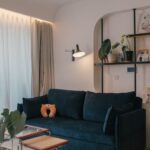
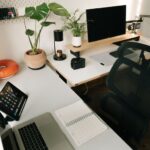



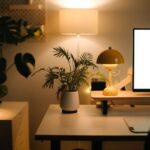

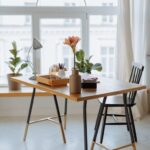
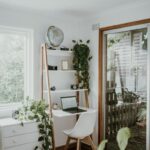
Creating a home office that is both relaxing and productive can make a significant difference in how you work and feel throughout the day. Whether you are new to remote work or looking to improve your current setup, designing a well-balanced workspace helps you stay focused while reducing stress. Below are practical tips to help you create a home office space that supports both calmness and efficiency.
Choose the Right Location
Your workspace environment plays a major role in how productive and comfortable you will be. Select a spot in your home that is:
– Quiet and private: Avoid high-traffic areas where distractions are common.
– Well-lit: Natural lighting is best, so try to pick a place near a window.
– Comfortable size: Ensure there is enough space for your desk, chair, and any equipment you need without feeling cramped.
If space is limited, consider using room dividers or screens to create a dedicated work area.
Invest in Ergonomic Furniture
Comfort is key to staying productive and preventing fatigue. Focus on furniture that supports good posture and reduces physical strain.
– Adjustable chair: Choose a chair with lumbar support and adjustable height.
– Desk at proper height: Your desk should allow your elbows to rest at a 90-degree angle when typing.
– Footrest and monitor stands: These can help maintain proper alignment and reduce discomfort.
Ergonomic furniture investments pay off by helping you avoid aches and maintain focus longer.
Organize and Declutter
A cluttered desk can lead to a cluttered mind. Keeping your workspace neat contributes to a relaxing atmosphere.
– Use storage solutions: Shelves, baskets, and drawer organizers help keep items out of sight.
– Daily declutter: Spend a few minutes each day tidying your desk to maintain order.
– Cable management: Use clips or ties to keep cords neat and untangled.
Having an organized area reduces distractions and saves time searching for essentials.
Personalize Your Space Thoughtfully
Adding personal touches can make your office more inviting and enjoyable, but avoid excessive decoration that could be distracting.
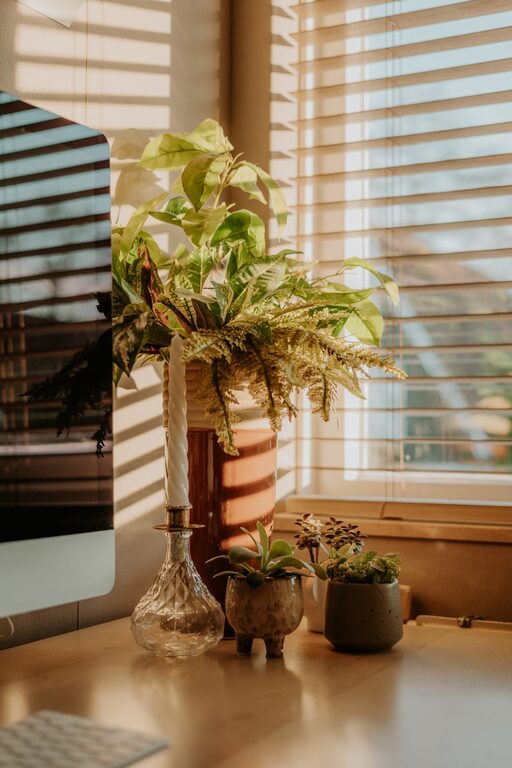
– Incorporate plants: Small indoor plants improve air quality and bring a calming element.
– Use colors wisely: Choose soothing colors like soft blues or greens to reduce stress.
– Display inspiring items: Photos, artwork, or quotes that motivate you can boost morale.
A personalized yet balanced workspace helps you feel comfortable and motivated.
Manage Lighting Properly
Good lighting is essential for reducing eye strain and maintaining energy.
– Maximize natural light: Position your desk to take advantage of daylight while avoiding glare on screens.
– Use task lighting: Adjustable desk lamps direct light where you need it without overwhelming the space.
– Consider ambient lighting: Soft overhead lights help create a warm and inviting environment.
Proper lighting supports alertness and prevents headaches.
Minimize Noise and Distractions
Controlling noise levels helps maintain concentration and tranquility.
– Soundproofing: Use rugs, curtains, or acoustic panels to reduce echo or outside noise.
– Noise-canceling headphones: These can help you focus if you have a noisy household.
– Set boundaries: Communicate work hours and space rules to family or roommates.
Keeping distractions at bay allows you to immerse fully in your tasks.
Incorporate Break Spaces and Movement
Taking breaks and moving periodically helps improve productivity and reduce stress.
– Create a relaxation corner: A comfortable chair or cushion nearby for brief rests or stretching.
– Use a timer: Follow the Pomodoro Technique or schedule regular breaks.
– Stand or stretch: Consider a sit-stand desk or take micro-breaks to walk around.
Balancing work with movement promotes mental clarity and physical health.
Optimize Technology Setup
Reliable and efficient tech tools are crucial for a smooth workflow.
– High-speed internet: Ensure your connection is fast and stable.
– Ergonomic peripherals: A wireless keyboard and mouse can improve comfort.
– Multiple screens: Extra monitors can increase productivity if your tasks require them.
– Backup solutions: Cloud storage or external drives protect your data.
A well-planned tech setup reduces frustration and helps you stay organized.
Keep Air Quality Fresh
Good air circulation contributes to alertness and health.
– Ventilate regularly: Open windows when possible to allow fresh air in.
– Use air purifiers: These can reduce allergens and improve air quality.
– Add moisture: A small humidifier helps if your home air is dry.
Comfortable air quality supports a pleasant and healthy workspace.
—
Final Thoughts
Crafting a home office that fosters relaxation and productivity involves thoughtful planning and small adjustments. From choosing the right location to organizing your desk and optimizing lighting, each element plays a role in creating a space where you can work effectively and feel at ease. Remember to listen to your needs and make changes over time to find what works best for you.
By investing time and care in your home office design, you set yourself up for success and well-being throughout your workday. Happy working!