









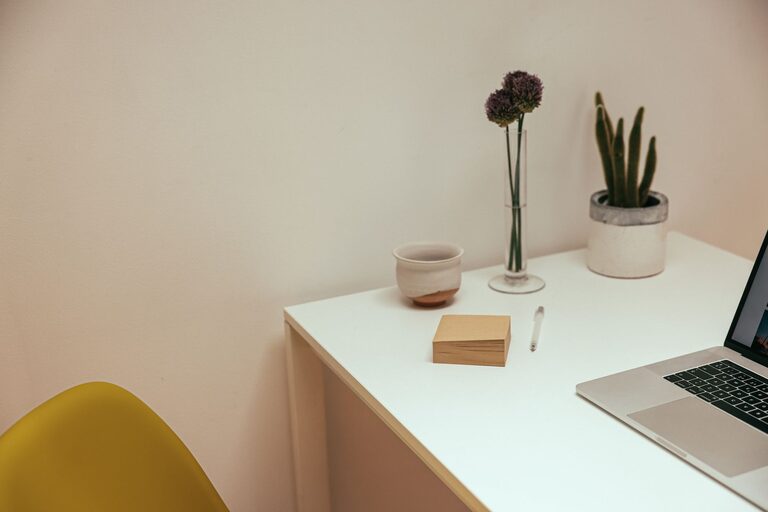
Creating a clutter-free home office can make a significant difference in your productivity and comfort. Whether you work remotely full-time or occasionally, having a well-organized space helps you focus, reduces stress, and promotes creativity. In this post, we’ll explore practical tips to organize your home office efficiently and maintain a neat workspace.
Why a Clutter-Free Home Office Matters
A cluttered workspace can lead to distractions and lower your work efficiency. On the other hand, a tidy, organized office space helps you find what you need quickly, keeps you motivated, and makes working more enjoyable. By designing a clutter-free area, you set the stage for better focus and healthier work habits.
Assess Your Current Space
Before diving into organizing, take a good look at your existing workspace. Ask yourself:
– What items do I use daily, weekly, or rarely?
– Which items can be removed or stored elsewhere?
– Is my furniture functional and suited to my work style?
– Do I have enough storage solutions?
Answering these questions will guide your organizing decisions and help prioritize what to keep and what to eliminate.
Declutter Step-by-Step
Sort and Purge
Start by sorting through your desk, drawers, shelves, and supplies. Create three piles or boxes labeled: Keep, Donate/Sell, and Trash.
– Keep only the essentials that you use regularly.
– Donate or sell items that are still useful but no longer needed.
– Trash broken or expired items like dried-out pens or old papers.
Decluttering frees up space and gives you a cleaner slate for organization.
Go Paperless When Possible
Paper clutter is one of the most common problems in home offices. Consider scanning important documents and saving them digitally. Use cloud storage or external drives to keep files organized and accessible. Recycle or shred unnecessary paperwork to reduce physical clutter.
Organize Your Desk and Supplies
Use Desk Organizers
Desk organizers help keep tools and supplies within reach but controlled. Choose containers or trays for pens, notebooks, cables, and other small items. Vertical organizers can save surface space and keep your desk clear.
Arrange Based on Usage
Put frequently used items within arm’s reach. Store less-used items in drawers or cabinets. This way, you minimize distractions and improve efficiency throughout the day.
Manage Cables
Tangled cords create visual clutter and can be frustrating. Use cable clips, ties, or sleeves to bundle and route cords neatly. Consider wireless devices such as keyboards and mice to reduce cable clutter further.
Maximize Storage Options
Use Shelves and Cabinets
Installing shelves above or near your desk can help store books, files, and decor without crowding your work surface. Cabinets with doors allow you to hide items that you don’t use daily, keeping the area looking clean.
Label Everything
Labeling storage boxes, drawers, and files makes it easier to find items quickly and return them to their proper places. Clear bins can also help you see stored items at a glance.
Utilize Multi-Functional Furniture
Choose desks or storage units with built-in compartments or adjustable shelves. Multi-purpose furniture saves space and supports a minimalist look.
Create Zones in Your Office
Designate specific areas for tasks such as computer work, writing, printing, or storage. Clear boundaries prevent overlap and clutter buildup. For example, keep your printer on a separate stand from your main desk and have a filing station nearby.
Establish Daily and Weekly Routines
Daily Clean-Up
Spend 5 to 10 minutes at the end of each day to tidy your desk, put away supplies, and clear any clutter. This simple habit prevents mess accumulation.
Weekly Organization
Once a week, review your physical and digital files, discard or archive old items, and reset your workspace. Consistent maintenance keeps your home office functional and inviting.
Personalize Your Space Mindfully
Adding personal touches can make your home office more comfortable and inspiring. Choose a few decorative items such as plants, photos, or artwork. However, keep accessories minimal to avoid visual clutter.
Optimize Lighting and Ergonomics
Good lighting and a comfortable chair contribute to a productive environment. Natural light is ideal, so position your desk near a window if possible. Task lamps can provide focused illumination. Invest in ergonomic furniture to support good posture and reduce strain.
Final Thoughts
Organizing a clutter-free home office doesn’t require a big budget or a complete overhaul. By assessing your needs, decluttering, and implementing practical storage and cleaning habits, you can create a space that supports your work and well-being. Start small, stay consistent, and enjoy the benefits of a neat, efficient home office every day.